

MareArts ANPR SDK
viewsPython SDK · Desktop app (MASS) · REST server
 MareArts ANPR SDK
Detection and OCR for 80+ countries, a REST server with a dashboard, Docker, Road Objects, and Vehicle Intelligence.
Prefer an app? MASS is the same engine as a desktop plate recognition app for Windows, macOS and Ubuntu: no code, with plate history, watchlist alerts and the REST API. In beta testing now.
PyPI package marearts-anpr · Python 3.10–3.14 · current release 3.9.1. Docs and examples: github.com/MareArts/MareArts-ANPR.
Install
pip, then GPU if you have one
# CPU — Linux, macOS, Windows, ARM
pip install marearts-anpr

# NVIDIA CUDA
ma-anpr gpu-setup cuda

# Windows AMD / Intel / NVIDIA
ma-anpr gpu-setup directmlonnxruntime and onnxruntime-gpu conflict if both are installed. ma-anpr gpu-setup uninstalls the CPU package and installs the GPU one. A pip extra does not do that.
ma-anpr config      # username, serial key, signature
ma-anpr validate    # check the license
Credentials go to ~/.marearts/.marearts_env, or set MAREARTS_ANPR_USERNAME, MAREARTS_ANPR_SERIAL_KEY, and MAREARTS_ANPR_SIGNATURE.
Python
Detect and read in a few lines
from marearts_anpr import (
    ma_anpr_detector_v16, ma_anpr_ocr_v16, marearts_anpr_from_image_file
)

detector = ma_anpr_detector_v16("640p_fp32", user_name, serial_key, signature)
ocr = ma_anpr_ocr_v16("fp32", "univ", user_name, serial_key, signature)

result = marearts_anpr_from_image_file(detector, ocr, "car.jpg")
print(result)
# {'results': [{'ocr': 'ABC1234', 'ocr_conf': 99, 'ltrb': [...], ...}], ...}Construct the detector and OCR outside the loop. Loading takes seconds; each frame is milliseconds.
Same call shape for a file, a PIL image, or a BGR array:
from marearts_anpr import marearts_anpr_from_pil, marearts_anpr_from_cv2

marearts_anpr_from_image_file(detector, ocr, "car.jpg")
marearts_anpr_from_pil(detector, ocr, pil_image)
marearts_anpr_from_cv2(detector, ocr, bgr_array)
You can pass detector only (boxes, no text), OCR only (a cropped plate), or both.
V16 models
| Part | Name | Use |
|---|---|---|
| Detector | 640p_fp32 |
Recommended. Distant or small plates. |
| Detector | 320p_fp32 |
Faster. On GPU the gap is small, so prefer 640p. |
| OCR | fp32 |
Recommended. Faster than int8 on CPU and GPU. |
| OCR | int8 |
Smaller download. Use when storage is the limit, not speed. |
RTX 4090, one process, detection + OCR (from the GitHub README, measured):
| Input | 640p + OCR | 320p + OCR |
|---|---|---|
| 640×480 | 22 ms · 46 fps | 16 ms · 64 fps |
| 1280×720 | 26 ms · 38 fps | 19 ms · 53 fps |
| 1920×1080 | 33 ms · 31 fps | 25 ms · 40 fps |
Full tables, backends, and CLI: python-sdk/README.md.
ma-anpr car.jpg
ma-anpr car.jpg --region kr --backend cuda
ma-anpr *.jpg --json results.json
Regions
Per-country character sets
Pass a 2-letter country code for best accuracy, a group code, or univ. Unknown codes fall back to univ. Switch without reloading the model.
ocr.set_region("kr")
ocr.set_region("eup")    # EU + Ex-USSR + UK
ocr.set_region("na")
ocr.set_region("univ") # default| Group | Code |
|---|---|
| Europe (37) | eu |
| Ex-USSR (15) | exussr |
| Europe+ | eup |
| Asia (17) | asia |
| North America | na |
| South America | southamerica |
| Africa | africa |
| Oceania | oceania |
| UK |
uk / gb
|
| China | cn |
| Korea | kr |
| Japan | jp |
| Universal | univ |
ch is Switzerland. China is cn. Country list: Regions in the SDK README.
Vehicle info
Go beyond plate text
Cloud Vehicle Intelligence adds make, model, colour, type, front or rear, plate nation, and a server-side OCR check. Needs internet. Local ANPR still returns if the cloud call fails.
| Field | Example |
|---|---|
| Make | Toyota, BMW, Hyundai |
| Model | Camry, 3 Series, Tucson |
| Color | White, Black, Silver |
| Type | Sedan, SUV, Truck, Van |
| Face | front, rear |
| Plate nation | KR, DE, US |
| Server OCR | Cloud plate text, for a cross-check |
from marearts_anpr import ma_anpr_mmc

mmc = ma_anpr_mmc(user_name, serial_key, signature)
result = marearts_anpr_from_image_file(detector, ocr, "car.jpg", mmc)
if result.get("mmc_error"):
    print(result["mmc_error"])   # plates are still in result["results"]
for r in result["results"]:
    print(r["ocr"], r.get("mmc_make"), r.get("mmc_model"), r.get("mmc_color"))
On-device, no quota: ma-anpr mmc-setup then ma-anpr mmc-backend local, and from marearts_anpr import ma_anpr_mmc_local. Same enrich fields. REST: POST /api/anpr/mmc.
Server
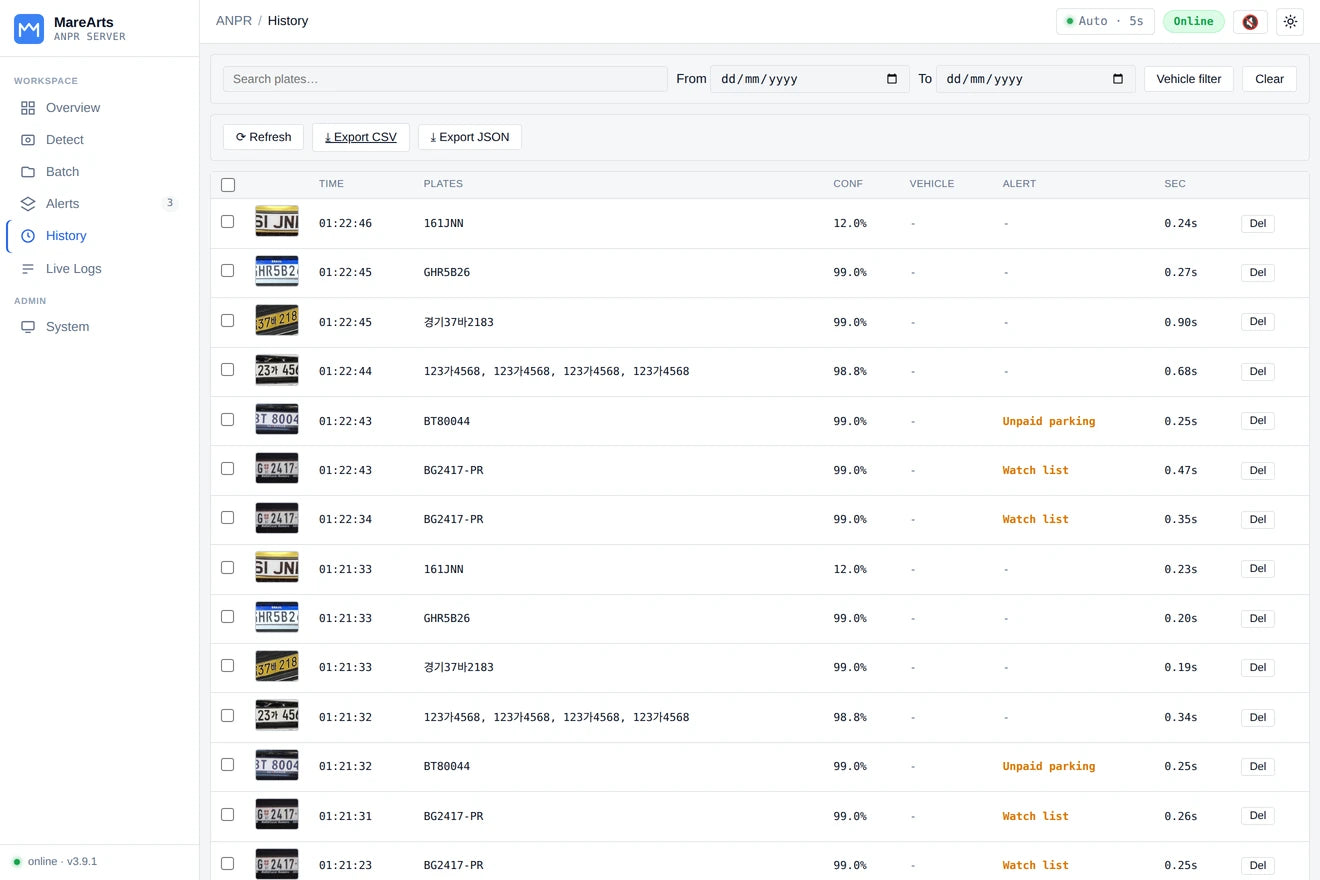
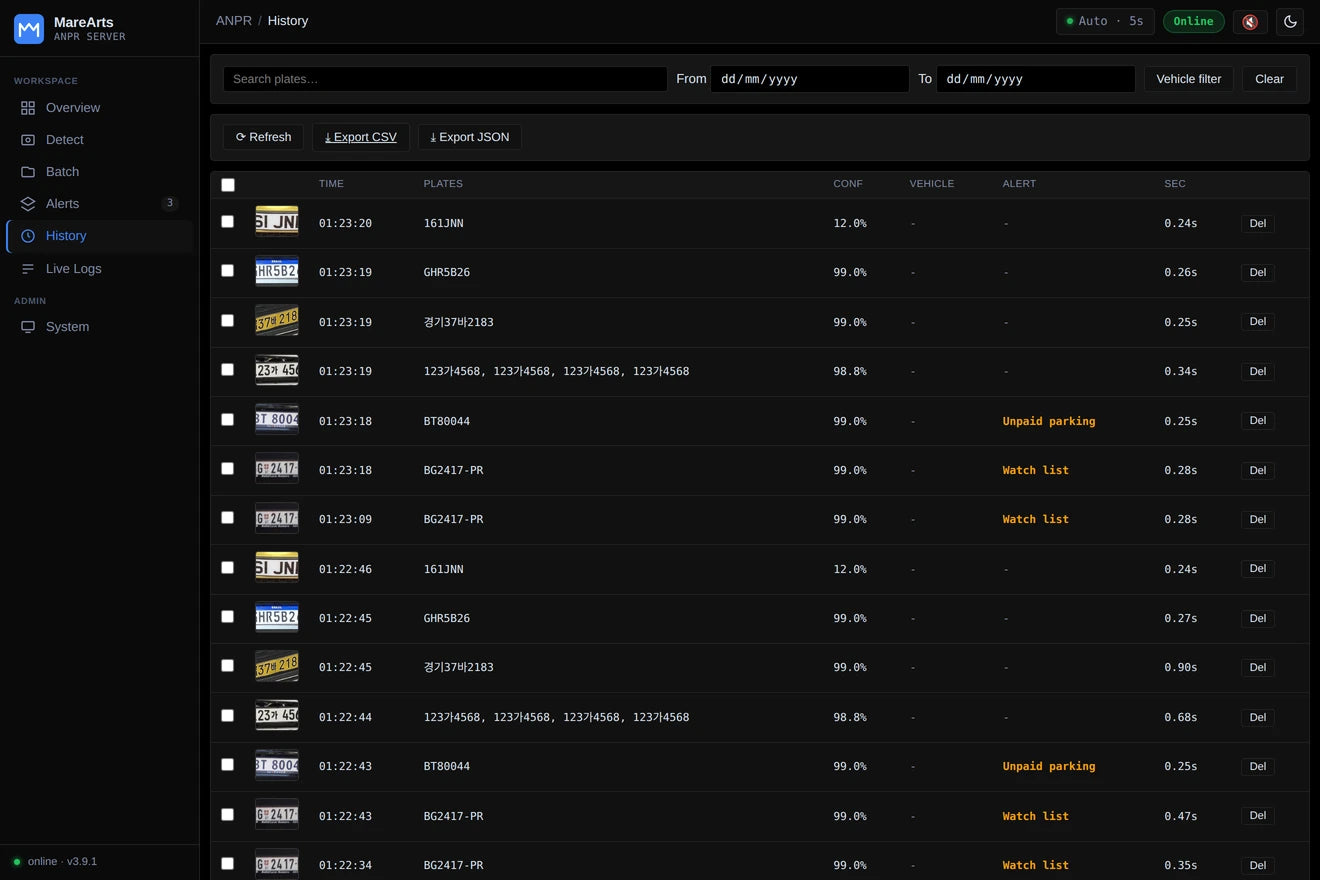
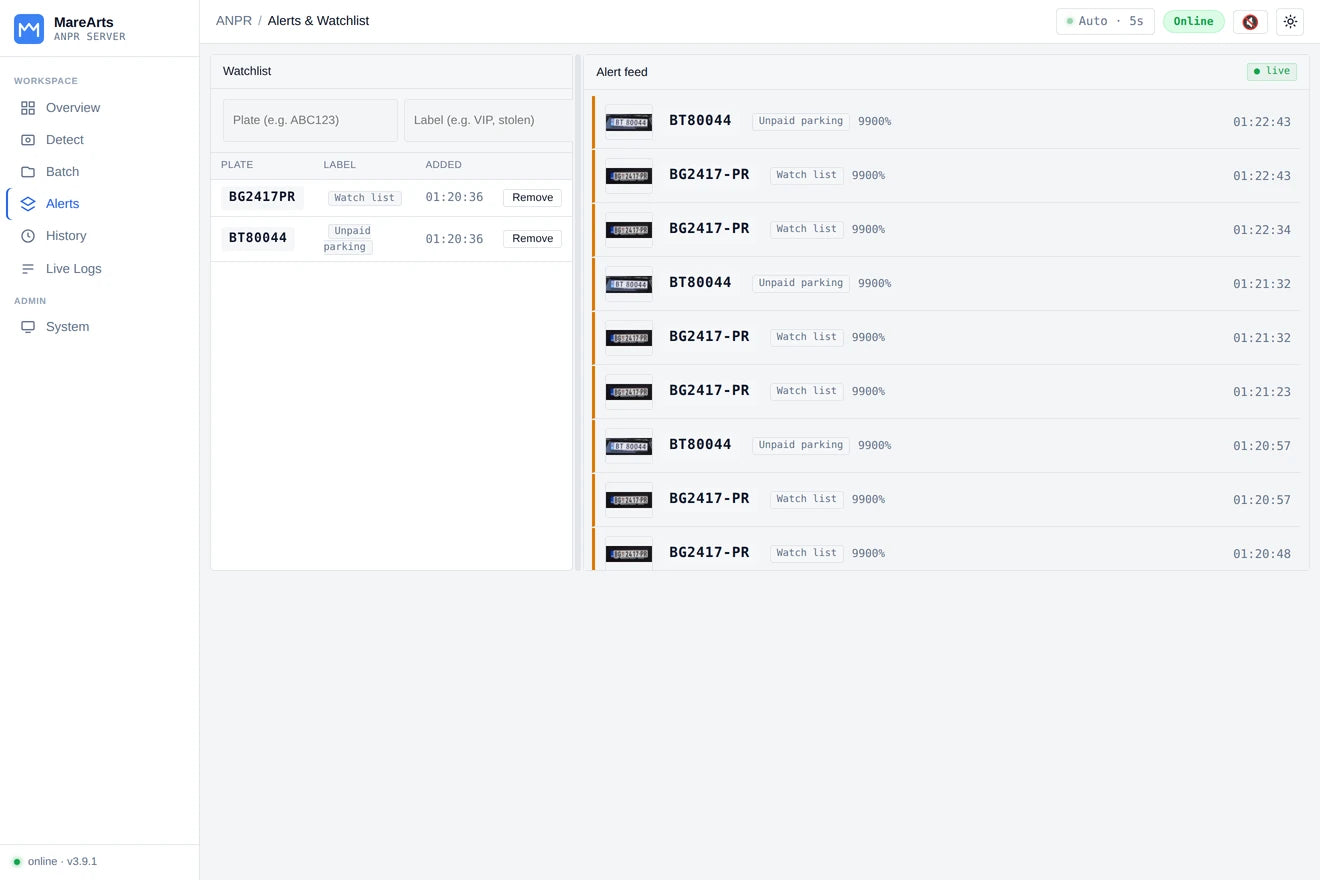
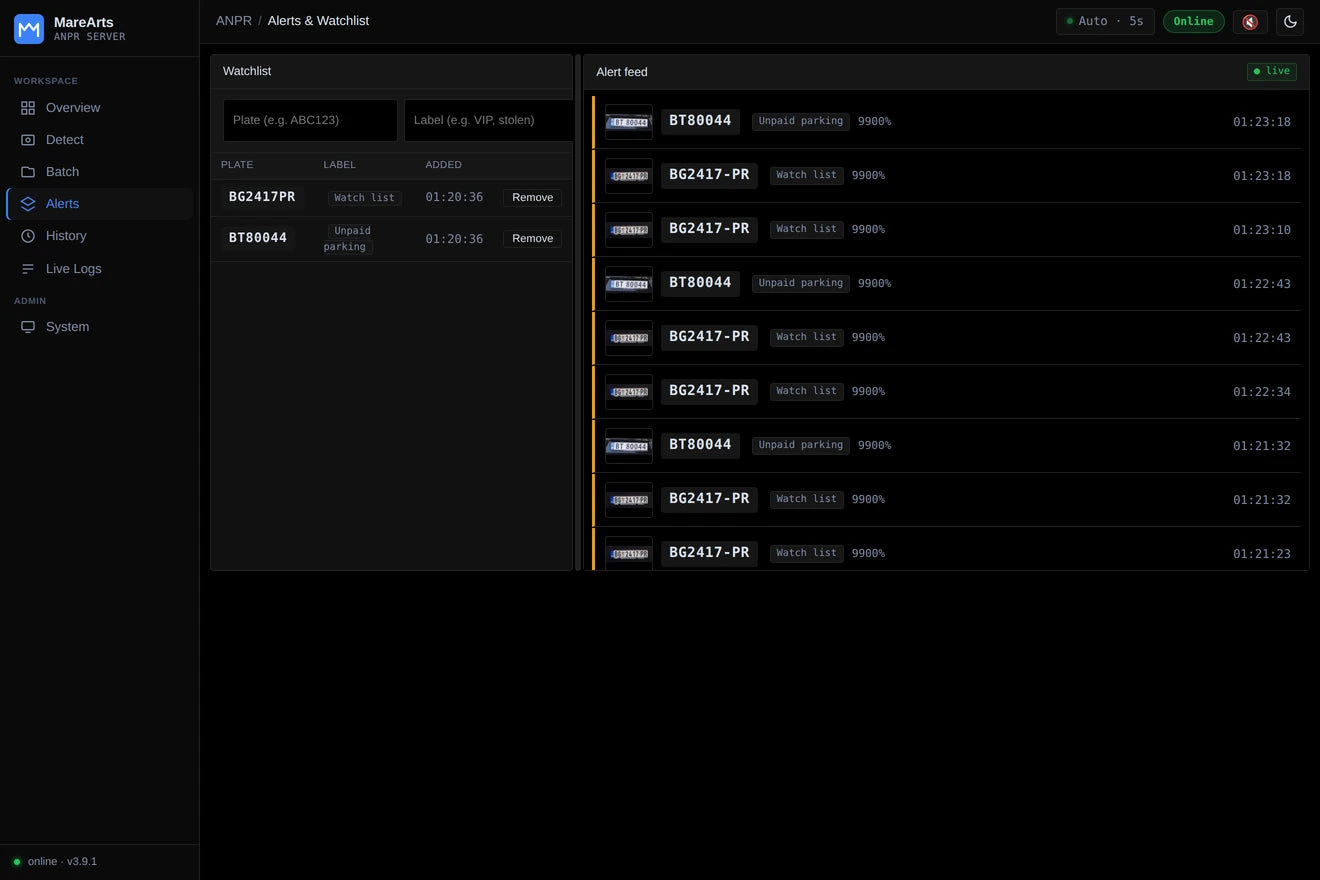
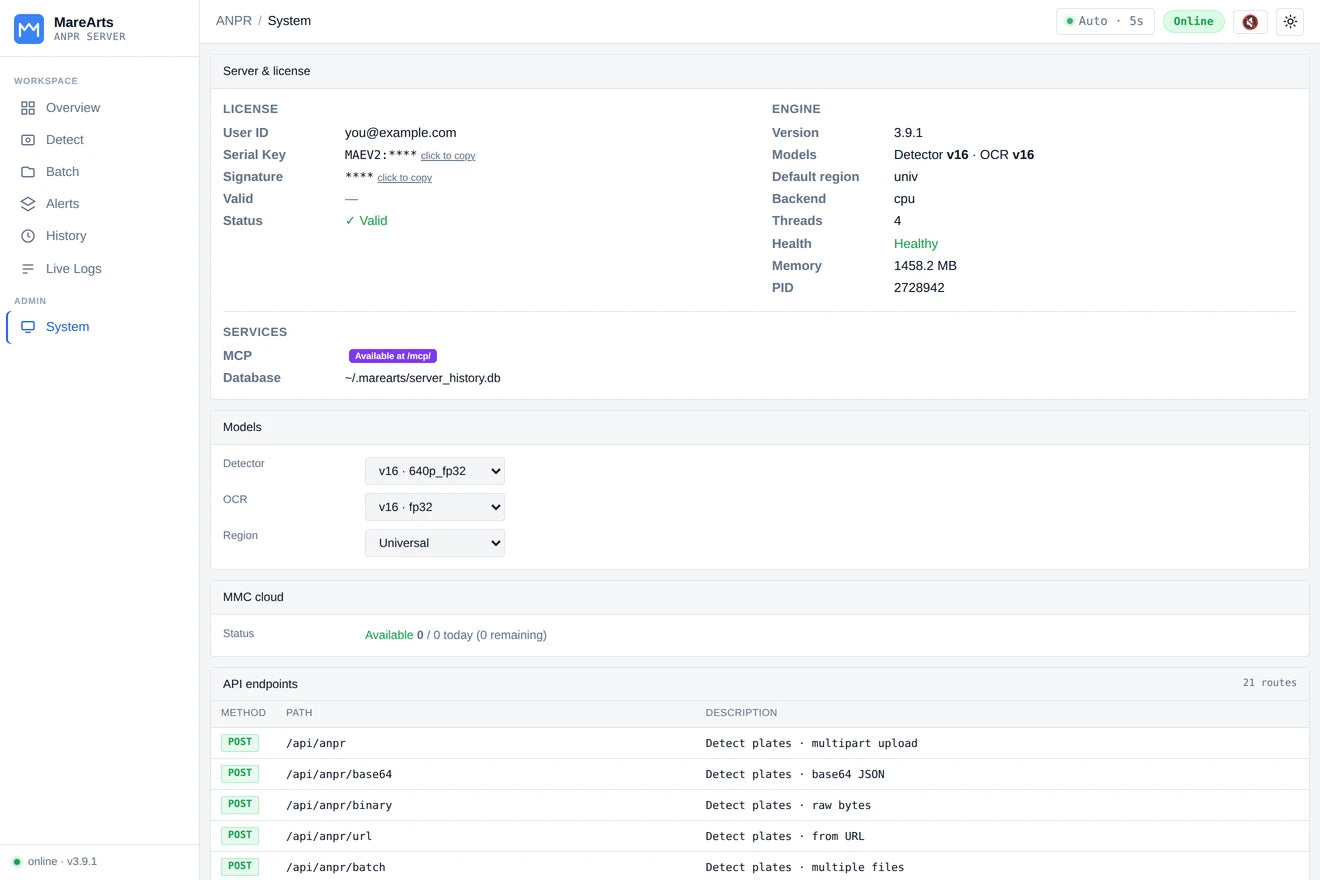
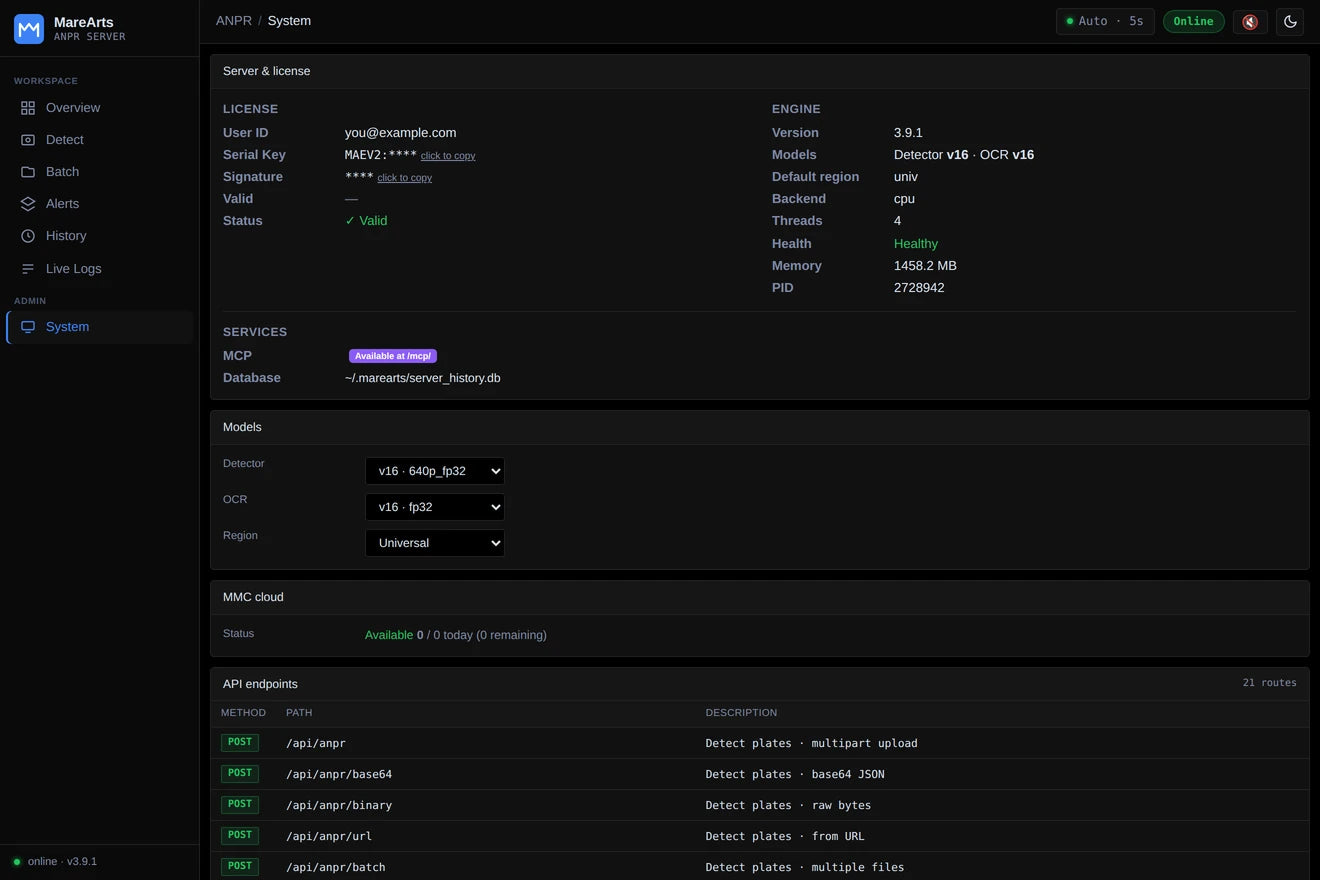
Dashboard and REST, same install
The server is in pip install marearts-anpr. No second package.
ma-anpr config
ma-anpr server start                 # http://127.0.0.1:8000
ma-anpr server start --daemon        # background
curl -X POST http://127.0.0.1:8000/api/anpr -F "image=@car.jpg"
curl -X POST http://127.0.0.1:8000/api/anpr/mmc -F "image=@car.jpg"
Dashboard at port 8000. Swagger at /docs.
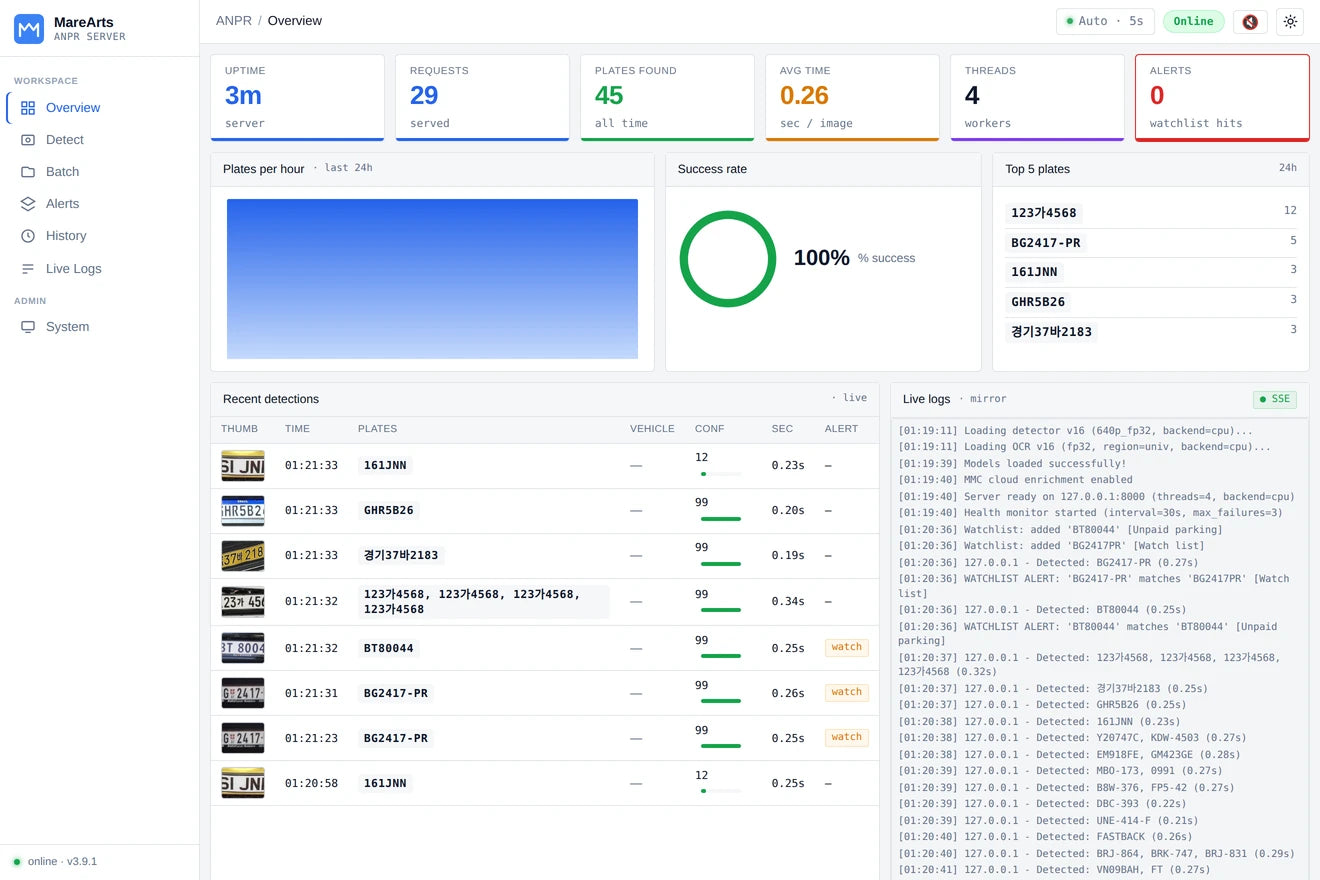
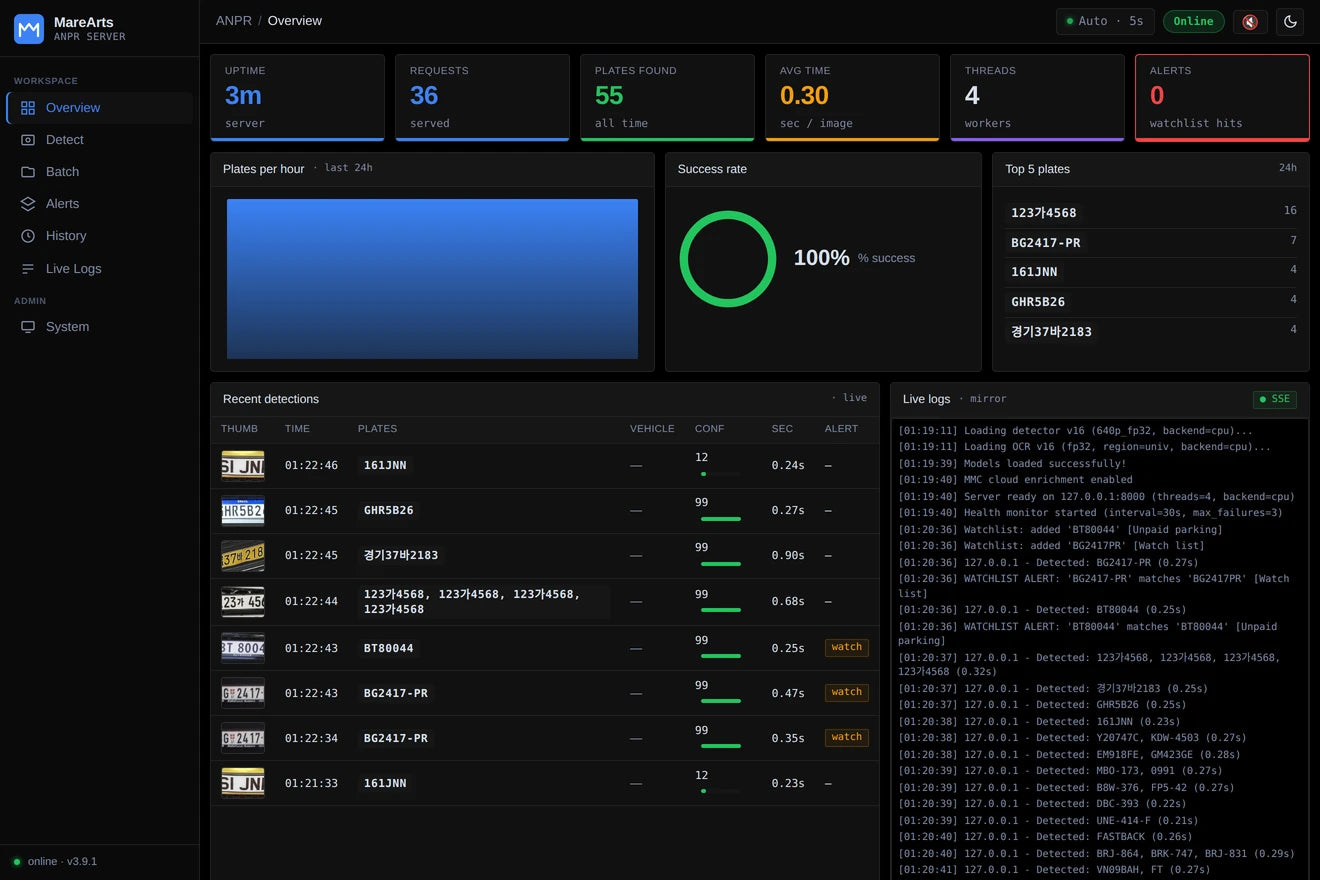
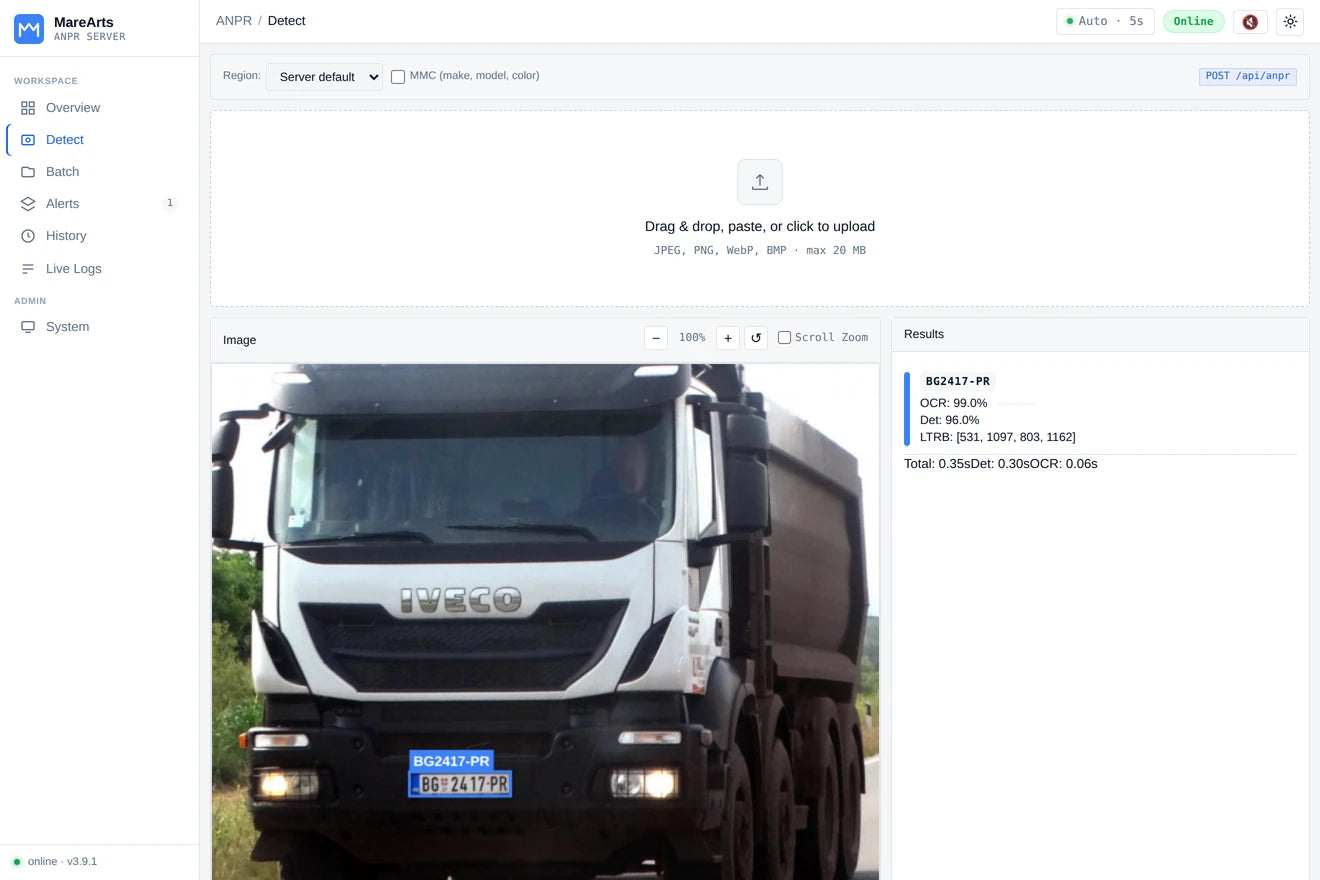
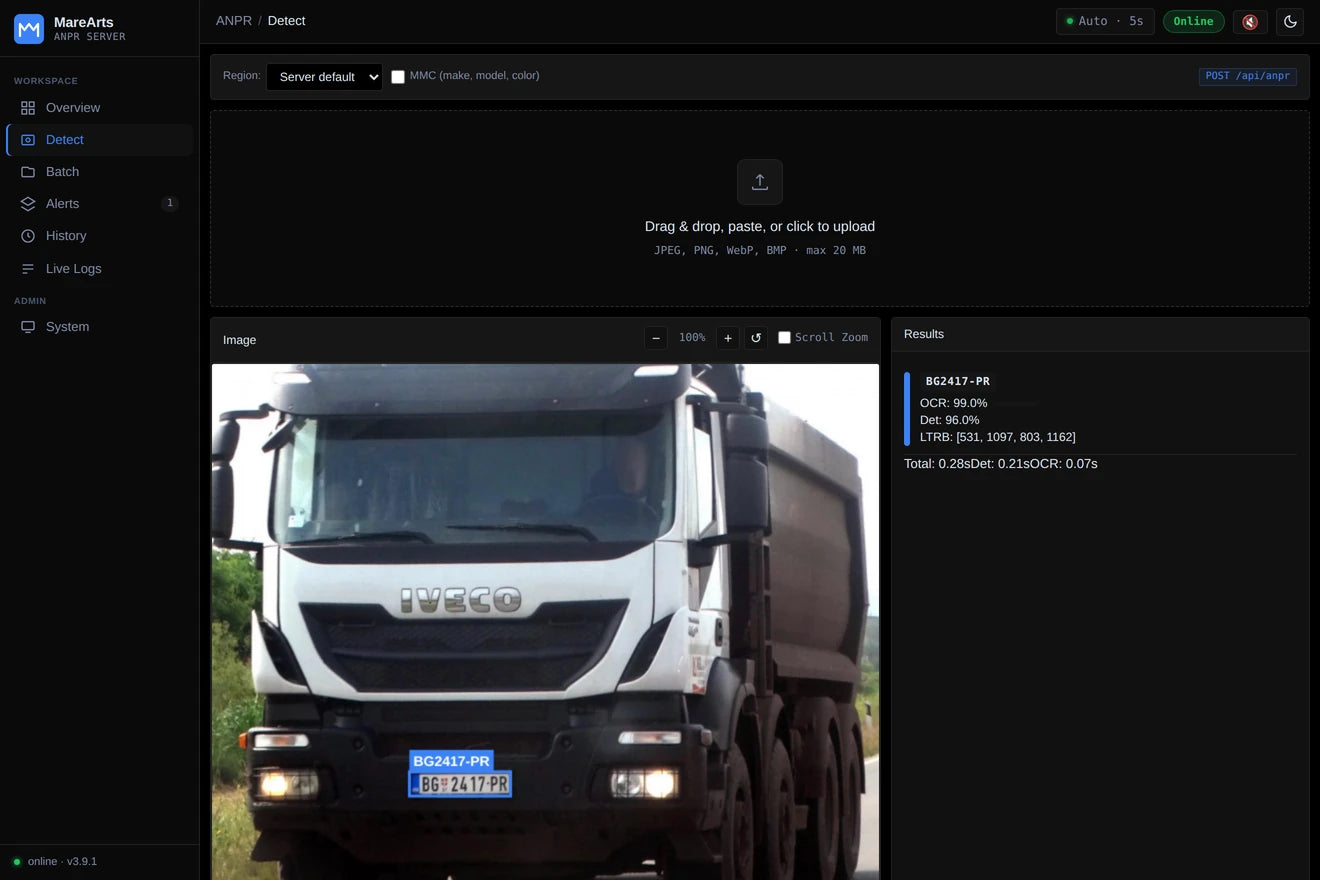
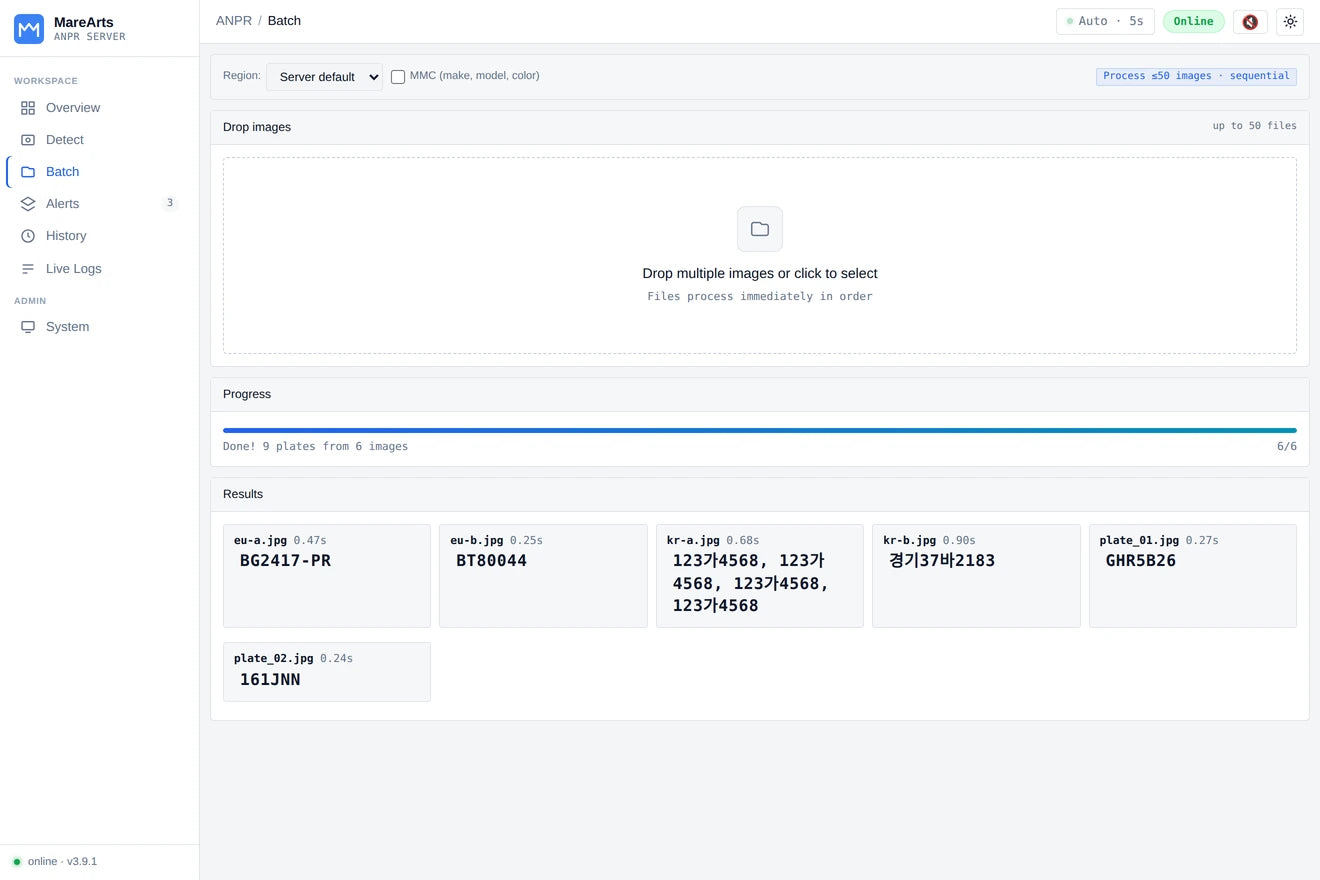
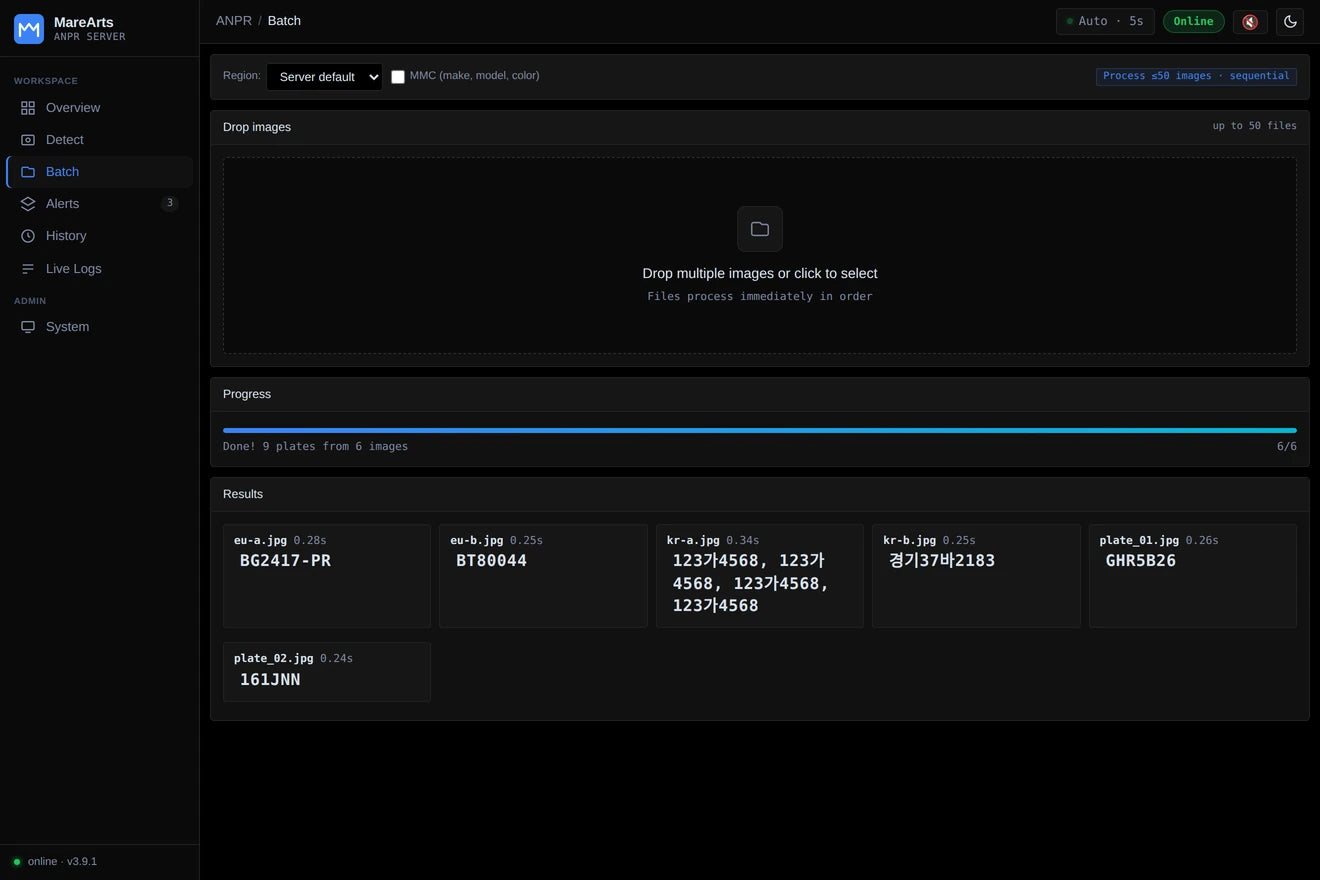
| Group | Does |
|---|---|
| Detection |
POST /api/anpr, /api/anpr/mmc, batch |
| History | List, search, detail, delete, CSV / JSON export |
| Watchlist | Plates to alert on |
| Config | Region, threads, models, MMC backend |
| Monitor | Health, stats, logs, SSE |
ma-anpr server status
ma-anpr server list
ma-anpr server logs --follow
ma-anpr server stop
ma-anpr server detect car.jpg --mmc
server stop checks server_id: marearts-anpr before it kills a process. Full CLI: server/README.md.
Docker
Build the image, then run
Images are built from MareArts-ANPR/docker. GPU needs NVIDIA Container Toolkit. CPU image runs without --gpus.
git clone https://github.com/MareArts/MareArts-ANPR.git
cd MareArts-ANPR/docker

docker build -t marearts-anpr-server:latest .
docker run -d --gpus all --name marearts-anpr-server -p 8000:8000 \
  -e MAREARTS_ANPR_USERNAME="your@email.com" \
  -e MAREARTS_ANPR_SERIAL_KEY="your_serial_key" \
  -e MAREARTS_ANPR_SIGNATURE="your_signature" \
  -v ~/.marearts:/root/.marearts \
  marearts-anpr-server:latest
docker build -t marearts-anpr-server-cpu:latest -f Dockerfile.cpu .
docker run -d --name marearts-anpr-server-cpu -p 8000:8000 \
-e MAREARTS_ANPR_USERNAME="your@email.com" \
-e MAREARTS_ANPR_SERIAL_KEY="your_serial_key" \
-e MAREARTS_ANPR_SIGNATURE="your_signature" \
-v ~/.marearts:/root/.marearts \
marearts-anpr-server-cpu:latestSame dashboard and /api/anpr as the pip server. Guide: docker/README.md.
Road objects
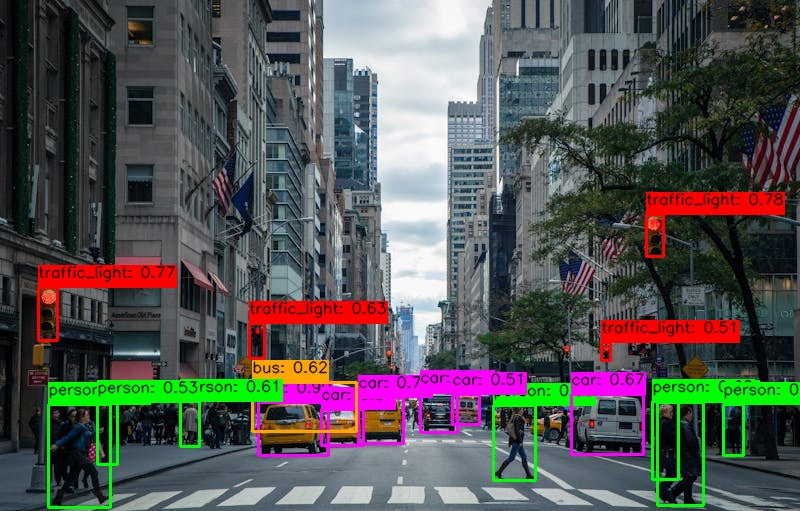
Person, vehicle, two-wheeler
Included in the ANPR license. Separate package marearts-road-objects.
from marearts_road_objects import ma_road_object_detector

rod = ma_road_object_detector("640p_fp32", user_name, serial_key, signature)
result = rod.detect("street.jpg")
# [{'class': 'car', 'conf': 0.97, 'ltrb': [...]}, {'class': 'person', ...}]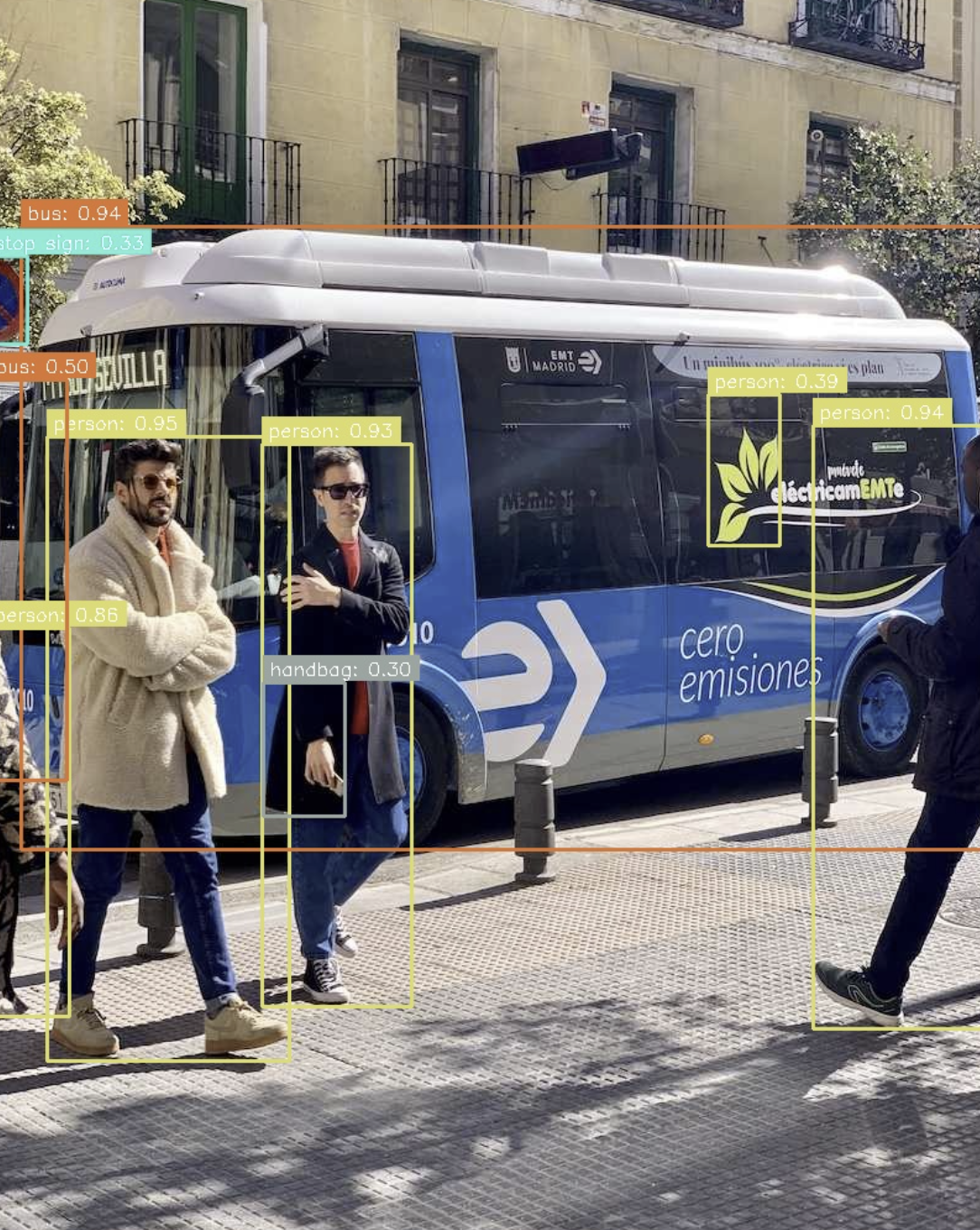
Support
License and next steps
- The ANPR SDK license (SDK + MASS) is separate from ANPR Mobile and is not issued yet. It opens with the next SDK release.
-
pip install marearts-anprthenma-anpr config. - Call the SDK, or
ma-anpr server start.
The SDK license covers the Python SDK, the REST server, MASS, Road Objects, and Vehicle Intelligence. The mobile app has its own license. Existing MareArts ANPR (SDK + Mobile) subscriptions keep working. Keys are bound to the PayPal email and cannot be moved.
| Contact | hello@marearts.com |
| GitHub | MareArts/MareArts-ANPR |
| Live demo | live.marearts.com |
| PyPI | marearts-anpr |
| Videos | ANPR playlist (this page: ANPR clips only, muted autoplay) |
marearts-anpr 3.9.1 · Python 3.10–3.14